


Latest Version
Version
17.1.1
17.1.1
Update
October 17, 2026
October 17, 2026
Developer
Pluto, Inc.
Pluto, Inc.
Categories
Media
Media
Platforms
Android
Android
Downloads
0
0
License
Free
Free
Package Name
tv.pluto.android
tv.pluto.android
Report
Report a Problem
Report a Problem
More About Pluto TV: Watch Free Movies/TV
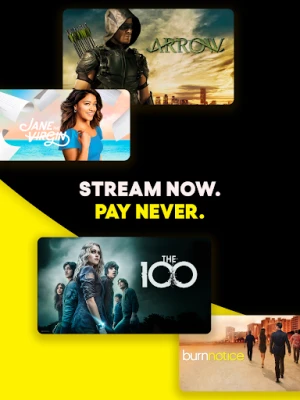
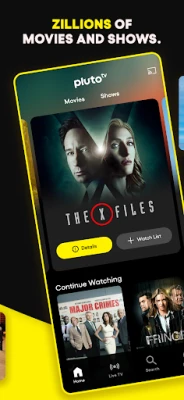
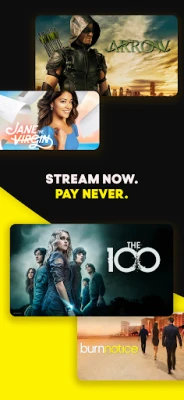
Zillions of movies & shows for free is what you get when you download Pluto TV. Get the app and watch movies and shows on demand at your pace, or flip to live TV for news, sports, and exclusive channels. No wonder Pluto TV is the best free streaming entertainment app. Stream now. Pay never.
Pluto TV is a free, ad-supported streaming app for watching live TV channels and on-demand movies and shows. Its channel lineup, catalog, app availability, and Android requirements can vary by country and device.
Looking for something to watch without adding another monthly bill? Pluto TV brings together live, channel-style streaming and an on-demand library of films and series in one free, ad-supported app. Browse by genre, tune into a channel, or save a title for later—there are plenty of ways to find entertainment for a spare moment or a full evening.
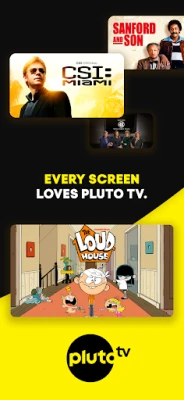
Pluto TV is a streaming service offering free, ad-supported live TV channels and on-demand content. Its selection can include movies, TV series, news, comedy, crime, anime, reality programming, sports-related content, and family entertainment. Available titles and channels vary by location, and the service does not guarantee every event, network, or program will be available to every viewer.
An APK is the Android application package format used to install apps on Android devices. Installing Pluto TV from an APK may be useful when using a compatible source outside the Play Store, but APK files should be handled carefully: unofficial or modified packages can be outdated, unsafe, or tampered with.
Pros
Cons
User feedback commonly appreciates Pluto TV for offering a no-subscription way to watch live-style channels and on-demand entertainment. Viewers also value its range of genres and the convenience of finding something to watch without paying for a conventional TV package.
Common drawbacks mentioned in reviews include frequent ad breaks, occasional buffering or playback problems, and differences in content availability. As with other streaming apps, performance can depend on the device, network connection, app version, and region.
Pluto TV is a practical choice for viewers who want casual entertainment without another subscription. Its mix of live channels and on-demand titles makes it especially useful when you are happy to browse rather than watch one specific new release. The trade-offs are advertising, a changing catalog, and region-dependent availability.
If those limits suit your viewing habits, Pluto TV is worth trying as a free streaming option. For the safest and most reliable experience, install the official app through a trusted app store and check that the service is available in your region.
For the safest installation, download Pluto TV from Google Play or another trusted, authorized source. If you install an APK manually, confirm that it comes from a reputable source and has not been modified. Unofficial APKs can contain malware, request unnecessary access, or put personal information at risk.
Manual installation may require allowing your browser or file manager to install unknown apps in Android settings. Enable this permission only for the installation you intend to perform, then turn it off again if you do not need it. Review the app’s requested permissions and privacy information, and avoid modified versions that claim to unlock paid features.
Q1: Is Pluto TV APK free to use?
A1: Pluto TV is generally free to watch and supported by advertising. Content, features, and availability can differ by region.
Q2: Do I need an internet connection to use Pluto TV?
A2: Yes. Live channels and on-demand streaming require an internet connection, and playback quality depends partly on connection speed and stability.
Q3: Is it safe to download the Pluto TV APK?
A3: The safest option is to install the official app from Google Play or another authorized source. Unofficial APK files may be outdated, altered, or infected, so verify the source before installing.
Q4: Does Pluto TV require a subscription?
A4: Pluto TV is designed as a free, ad-supported service and does not normally require a paid subscription to watch its available content.
Q5: Can I watch the same Pluto TV channels everywhere?
A5: No. Channel lineups and on-demand titles may vary by country, licensing agreements, device, and time.
Pluto TV APK
📱 Pluto TV APK Summary
Pluto TV is a free, ad-supported streaming app for watching live TV channels and on-demand movies and shows. Its channel lineup, catalog, app availability, and Android requirements can vary by country and device.
- App Name: Pluto TV: Live TV & Free Movies
- Current Version: Varies by release and device; check the Google Play listing for the latest version
- Last Updated: Changes regularly; see the current Google Play listing for the latest update date
- Category: Entertainment
- Developer: Pluto, Inc.
- Google Play Rating: Ratings and review counts change over time and may differ by region; check Google Play for the current figures
💡 Introduction
Looking for something to watch without adding another monthly bill? Pluto TV brings together live, channel-style streaming and an on-demand library of films and series in one free, ad-supported app. Browse by genre, tune into a channel, or save a title for later—there are plenty of ways to find entertainment for a spare moment or a full evening.
❓ What Is Pluto TV APK?
Pluto TV is a streaming service offering free, ad-supported live TV channels and on-demand content. Its selection can include movies, TV series, news, comedy, crime, anime, reality programming, sports-related content, and family entertainment. Available titles and channels vary by location, and the service does not guarantee every event, network, or program will be available to every viewer.
An APK is the Android application package format used to install apps on Android devices. Installing Pluto TV from an APK may be useful when using a compatible source outside the Play Store, but APK files should be handled carefully: unofficial or modified packages can be outdated, unsafe, or tampered with.
🧑💻 How to Use
- Install the app: Get Pluto TV from Google Play where available, or use a legitimate APK source and verify the file before installing.
- Open Pluto TV: Launch the app and review any permissions or introductory prompts. Availability may depend on your country and device.
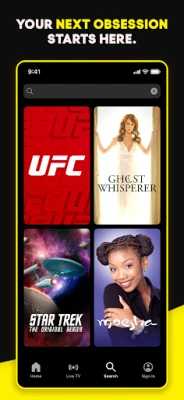
- Choose how to watch: Browse live channels for a traditional TV-style experience, or open the on-demand section to find a particular movie or show.
- Explore categories: Use genres and curated hubs to browse topics such as comedy, action, crime, drama, and family viewing.
- Save titles and channels: Add supported programs to your Watchlist and mark channels as Favorites for quicker access.
- Register if useful: A free account may provide features such as syncing supported preferences or resuming viewing across devices. Account features can vary.
- Keep connected: Streaming requires an internet connection. For a smoother experience, use a stable Wi-Fi or mobile data connection.
⚙️ Features
- Free live TV: Watch a selection of streaming channels without a paid subscription. The available lineup depends on your region.
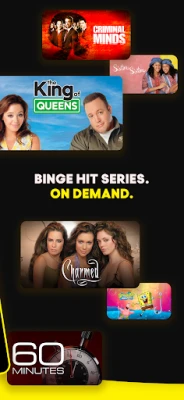
- On-demand library: Browse movies and series you can start when it suits you, with titles rotating over time.
- Wide range of genres: Explore categories such as action, comedy, anime, true crime, sci-fi, reality, romance, sports, and family entertainment.
- Channel-style viewing: Switch between live streams for a familiar, lean-back TV experience without an antenna or cable box.
- Favorites and Watchlist: Save supported channels and titles so you can find them more easily later.
- Curated discovery: Browse collections and content hubs that help you find something to watch without searching through every title.
- Ad-supported access: Pluto TV is free to use, with advertising helping support its streaming service.
- Multi-device availability: Watch on supported phones, tablets, TVs, and other compatible devices. Features and continuity may differ by platform and account status.
✅ Pros and ❌ Cons
Pros
- Offers live channels and on-demand entertainment without a standard subscription fee.
- Includes a broad mix of genres and channel-style programming.
- Easy to browse when you want to put something on without choosing a specific title.
- Favorites and Watchlist tools can make repeat viewing more convenient.
- Available on multiple supported device types.
Cons
- Commercial breaks are part of the free, ad-supported experience.
- Channel lineups and on-demand titles vary by country and can change.
- Some programs or live events mentioned in promotional material may not be available in every region.
- Streaming quality depends on your internet connection and device.
- It may not offer the same depth of current releases or exclusive content as paid streaming services.
📋 App Details
- App Name: Pluto TV: Live TV & Free Movies
- Current Version: Varies by release; check Google Play for the current version
- Last Updated: Check the current store listing, as updates are released periodically
- File Size: Varies by version, Android device, and installation package
- Requires Android: Minimum requirements may change; confirm compatibility on the current Google Play listing before installing
- Developer: Pluto, Inc.
- Content Rating: The rating may vary by region and store listing; check the rating shown for your account and country
- Price: Free to use with advertising; content and availability are subject to regional restrictions
💬 User Reviews
User feedback commonly appreciates Pluto TV for offering a no-subscription way to watch live-style channels and on-demand entertainment. Viewers also value its range of genres and the convenience of finding something to watch without paying for a conventional TV package.
Common drawbacks mentioned in reviews include frequent ad breaks, occasional buffering or playback problems, and differences in content availability. As with other streaming apps, performance can depend on the device, network connection, app version, and region.
🔍 5 Best Alternative Apps
- Tubi: A free, ad-supported streaming service with a large rotating catalog of movies and TV shows. Its available titles differ by region.
- The Roku Channel: Offers free, ad-supported movies, series, and live-style channels in supported markets and on compatible devices.
- Sling Freestream: Provides free ad-supported streaming channels and on-demand content where the service is available.
- Plex: Combines personal media organization with free, ad-supported movies, shows, and live channels in supported regions.
- Xumo Play: A free streaming option with live channels and on-demand programming, with its lineup depending on location and device.
🧠 My Opinion
Pluto TV is a practical choice for viewers who want casual entertainment without another subscription. Its mix of live channels and on-demand titles makes it especially useful when you are happy to browse rather than watch one specific new release. The trade-offs are advertising, a changing catalog, and region-dependent availability.
If those limits suit your viewing habits, Pluto TV is worth trying as a free streaming option. For the safest and most reliable experience, install the official app through a trusted app store and check that the service is available in your region.
🛡️ Privacy and Security
For the safest installation, download Pluto TV from Google Play or another trusted, authorized source. If you install an APK manually, confirm that it comes from a reputable source and has not been modified. Unofficial APKs can contain malware, request unnecessary access, or put personal information at risk.
Manual installation may require allowing your browser or file manager to install unknown apps in Android settings. Enable this permission only for the installation you intend to perform, then turn it off again if you do not need it. Review the app’s requested permissions and privacy information, and avoid modified versions that claim to unlock paid features.
❓ Frequently Asked Questions (FAQs)
Q1: Is Pluto TV APK free to use?
A1: Pluto TV is generally free to watch and supported by advertising. Content, features, and availability can differ by region.
Q2: Do I need an internet connection to use Pluto TV?
A2: Yes. Live channels and on-demand streaming require an internet connection, and playback quality depends partly on connection speed and stability.
Q3: Is it safe to download the Pluto TV APK?
A3: The safest option is to install the official app from Google Play or another authorized source. Unofficial APK files may be outdated, altered, or infected, so verify the source before installing.
Q4: Does Pluto TV require a subscription?
A4: Pluto TV is designed as a free, ad-supported service and does not normally require a paid subscription to watch its available content.
Q5: Can I watch the same Pluto TV channels everywhere?
A5: No. Channel lineups and on-demand titles may vary by country, licensing agreements, device, and time.
Rate the App
Add Comment & Review
User Reviews
Based on 0 reviews
No reviews added yet.
Comments will not be approved to be posted if they are SPAM, abusive, off-topic, use profanity, contain a personal attack, or promote hate of any kind.










More »

Popular Apps

TradingView: Track All MarketsTradingView Inc.

Bus Fever Party!Lumi Games

Claude by AnthropicAnthropic PBC

Block Craft 3D:Building GameWildlife Studios

Malwarebytes - Mobile SecurityMalwarebytes

Block Blast!HungryStudio

Canva: AI Photo & Video EditorCanva

Candy Crush SagaKing

Carrom Pool: Disc GameMiniclip.com

EA SPORTS FC Soccer Mobile 27ELECTRONIC ARTS
More »
Editor's Choice

Kahoot! Play & Create QuizzesKahoot!

United AirlinesUnited Airlines

Tripwoa: Travel Plan & Trailtripwoa

trivago: Compare hotel pricestrivago N.V.

Planner 5D: AI Home DesignPlanner 5D

ibis Paint Xibis inc.

Agoda: Cheap Flights & Hotelsagoda.com

Hopper: Hotels, Flights & CarsHopper Inc.

Brilliant: Learn Math & CodingBrilliant.org

Google ClassroomGoogle LLC