


Latest Version
Version
10.15.0
10.15.0
Update
October 18, 2026
October 18, 2026
Developer
Brilliant.org
Brilliant.org
Categories
Education
Education
Platforms
Android
Android
Downloads
0
0
License
Free
Free
Package Name
org.brilliant.android
org.brilliant.android
Report
Report a Problem
Report a Problem
More About Brilliant: Learn Math & Coding
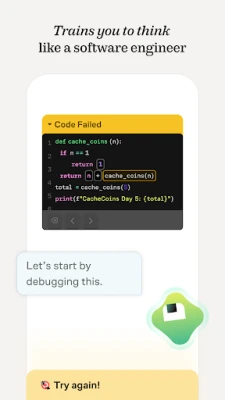
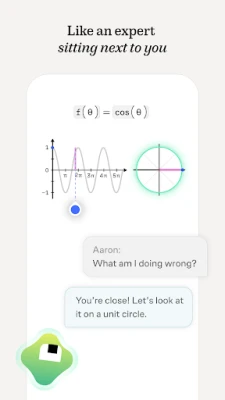
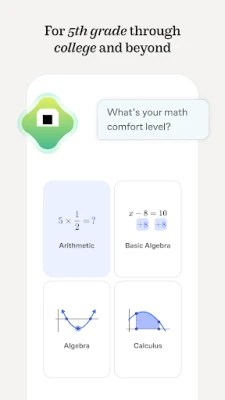
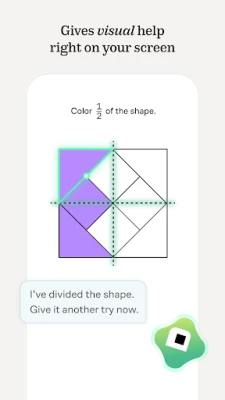
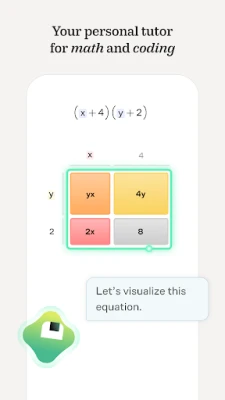
Brilliant is a superintelligent tutor for math and coding. Our team of experts from MIT and Harvard has built a world-class personalized learning system. For students from grade 5 to college and beyond – you work through problems with a tutor that sees where you’re stuck, can sketch right on your screen, asks the right questions, and guides you to real a-ha moments.
Brilliant is an interactive learning app that helps you understand subjects such as mathematics, computer science, physics, and artificial intelligence through guided lessons and problem-solving. Instead of relying on memorization, it encourages you to work through ideas step by step and build lasting skills.
Brilliant makes challenging subjects feel more approachable by turning lessons into interactive puzzles, visual explanations, and guided practice. Whether you want to strengthen your math foundations, explore Python, or understand topics such as neural networks and physics, the app offers a structured way to learn at your own pace.
Its focus is on understanding how and why ideas work—not just memorizing formulas. That makes Brilliant a useful option for curious learners, students, and adults who want to sharpen their problem-solving skills in short, engaging sessions.
Brilliant is an educational app built around interactive courses and problems in subjects including mathematics, algebra, calculus, programming, computer science, data analysis, artificial intelligence, and physics. Lessons guide learners through concepts with questions and visual activities, helping them reason their way toward solutions. The app is intended for a broad audience, from people reviewing fundamentals to learners exploring more advanced topics.
An APK is the Android application package format used to distribute and install apps. An APK file can be used for manual installation on an Android device, but downloading one from outside an official app store requires extra care: unofficial files may be outdated, modified, or unsafe.
Pros
Cons
Brilliant users commonly appreciate the app’s interactive approach, clear visual explanations, and the way lessons encourage them to reason through problems. Learners often find it motivating for exploring subjects they might otherwise consider intimidating, and the self-paced format is convenient for fitting study into a busy day.
Some users note that access to a fuller course selection may involve a subscription, which can be a drawback for people seeking a completely free study resource. Others may prefer more traditional explanations or need additional support when a topic becomes difficult. Experiences can differ depending on a learner’s goals, background, and the courses available to them.
Brilliant is a compelling choice for anyone who wants to learn by doing. Its interactive lessons can make STEM topics more inviting, while the emphasis on reasoning helps build skills that go beyond memorizing formulas. The wide subject selection also gives curious learners plenty of directions to explore.
It may not replace a full course, textbook, or personal tutor, and some content may sit behind a subscription. Still, for students, professionals, and lifelong learners who enjoy puzzles and guided practice, Brilliant is well worth considering. If you want to understand ideas—not just collect answers—it offers a thoughtful and engaging way to keep learning.
For the safest installation, download Brilliant through Google Play or another reputable source. If you choose to install an APK manually, make sure the file comes from a trusted provider and matches the app you intended to install. Unofficial or altered APKs can contain malware, expose personal information, or fail to receive legitimate updates.
Android may ask you to allow installations from the app or browser handling the APK. Enable the “Install unknown apps” permission only for a source you trust, and turn it off again when you are finished. Review the app’s requested permissions and its current privacy information before creating an account or sharing personal data.
Q1: Is Brilliant APK free to use?
A1: Brilliant may offer some access or introductory content, while broader course access and features can require a subscription. Check the current app listing for the latest pricing and terms in your region.
Q2: What can I learn with Brilliant?
A2: The app covers subjects such as mathematics, algebra, calculus, Python, computer science, AI, algorithms, data analysis, and physics. Available courses may change over time.
Q3: Do I need an internet connection to use Brilliant?
A3: An internet connection may be needed to download lessons, access account features, and sync progress. Offline access can depend on the version and course, so check the app’s current settings.
Q4: Is it safe to download the Brilliant APK?
A4: Safety depends on where the APK comes from. Google Play is generally the safer installation option; unofficial APKs may be modified or contain harmful software. Use trusted sources and review permissions carefully.
Q5: Is Brilliant suitable for beginners?
A5: Many courses cover foundational ideas, so beginners can find a starting point. Choose a course that matches your current knowledge and move through the lessons at your own pace.
Brilliant APK
📱 Brilliant APK Summary
Brilliant is an interactive learning app that helps you understand subjects such as mathematics, computer science, physics, and artificial intelligence through guided lessons and problem-solving. Instead of relying on memorization, it encourages you to work through ideas step by step and build lasting skills.
- App Name: Brilliant
- Current Version: Varies by release; check Google Play for the latest version
- Last Updated: Check Google Play for the current update date
- Category: Education
- Developer: Brilliant.org
- Google Play Rating: Rating and review count change over time; see Google Play for current figures
💡 Introduction
Brilliant makes challenging subjects feel more approachable by turning lessons into interactive puzzles, visual explanations, and guided practice. Whether you want to strengthen your math foundations, explore Python, or understand topics such as neural networks and physics, the app offers a structured way to learn at your own pace.
Its focus is on understanding how and why ideas work—not just memorizing formulas. That makes Brilliant a useful option for curious learners, students, and adults who want to sharpen their problem-solving skills in short, engaging sessions.
❓ What Is Brilliant APK?
Brilliant is an educational app built around interactive courses and problems in subjects including mathematics, algebra, calculus, programming, computer science, data analysis, artificial intelligence, and physics. Lessons guide learners through concepts with questions and visual activities, helping them reason their way toward solutions. The app is intended for a broad audience, from people reviewing fundamentals to learners exploring more advanced topics.
An APK is the Android application package format used to distribute and install apps. An APK file can be used for manual installation on an Android device, but downloading one from outside an official app store requires extra care: unofficial files may be outdated, modified, or unsafe.
🧑💻 How to Use
- Install and open the app: Download Brilliant from Google Play or another source you trust, then launch it.
- Set up your learning profile: Follow the prompts to choose interests or learning goals. Some features or courses may require an account or subscription.
- Choose a subject: Browse the available courses and select a topic, such as math, programming, or science.
- Work through each lesson: Read the explanations, inspect diagrams, and answer interactive questions as they appear.
- Use hints when needed: If you get stuck, follow the guidance and try the next step rather than jumping straight to an answer.
- Build a regular routine: Return for short sessions, track your progress, and continue with new lessons as your understanding grows.
⚙️ Features
- Interactive, problem-based lessons: Activities ask you to apply ideas as you learn, helping concepts stick better than passive reading alone.
- A wide range of subjects: Explore topics spanning foundational math, algebra, calculus, Python, computer science, AI, algorithms, data analysis, and physics.
- Guided learning support: The app’s learning experience is designed to offer step-by-step guidance and help you work through difficult concepts.
- Visual explanations: Diagrams and interactive visuals can make abstract ideas easier to explore and understand.
- Courses created by subject experts: Brilliant describes its curriculum as developed by a team of human experts, with new or updated learning content added regularly.
- Practice that encourages independent thinking: Rather than simply supplying answers, lessons are designed to help learners reach their own conclusions and develop analytical skills.
- Self-paced study: Learn in short sessions when it suits you, without arranging a tutor or following a fixed class schedule.
✅ Pros and ❌ Cons
Pros
- Turns learning into active practice instead of relying only on lectures or memorization.
- Covers a broad selection of valuable STEM subjects.
- Interactive problems and visuals can make complex material easier to approach.
- Works well for independent study and short learning sessions.
- Encourages reasoning and problem-solving, not just answer recall.
Cons
- Some courses or learning features may require a paid subscription.
- Interactive lessons may not be a complete replacement for textbooks, formal classes, or personal tutoring.
- Advanced topics can still be challenging, particularly for learners who need more background instruction.
- Course availability, app features, and subscription terms may vary by region and over time.
- Access to lessons may depend on an internet connection; offline availability can vary.
📋 App Details
- App Name: Brilliant
- Current Version: Varies by release; check Google Play for the latest version
- Last Updated: Check Google Play for the current update date
- File Size: Varies by version and device; check the download listing for the current size
- Requires Android: Minimum requirement varies by release; check Google Play or the installer details for your device
- Developer: Brilliant.org
- Category: Education
- Content Rating: Check Google Play for the current rating in your region
- Pricing: Offers learning content with availability and subscription terms that may vary
💬 User Reviews
Brilliant users commonly appreciate the app’s interactive approach, clear visual explanations, and the way lessons encourage them to reason through problems. Learners often find it motivating for exploring subjects they might otherwise consider intimidating, and the self-paced format is convenient for fitting study into a busy day.
Some users note that access to a fuller course selection may involve a subscription, which can be a drawback for people seeking a completely free study resource. Others may prefer more traditional explanations or need additional support when a topic becomes difficult. Experiences can differ depending on a learner’s goals, background, and the courses available to them.
🔍 5 Best Alternative Apps
- Khan Academy: A broad educational platform with lessons and practice in subjects such as math, science, and computing. It is a strong alternative for learners looking for structured instruction and substantial free learning resources.
- Duolingo: Best known for language learning, Duolingo uses short exercises and progress goals to encourage daily practice. It is a good choice if your learning goals extend beyond STEM subjects.
- Coursera: Offers online courses and programs from universities and other institutions across many fields. It may suit learners who want longer, more formal courses alongside interactive study.
- Udemy: A marketplace of video-based courses covering programming, technology, business, and other subjects. It can be useful when you want to focus on a specific skill or follow an instructor-led course.
- Photomath: Helps learners work through math problems with explanations and guided steps. It can complement Brilliant for studying mathematics, though its approach is more focused on solving individual problems.
🧠 My Opinion
Brilliant is a compelling choice for anyone who wants to learn by doing. Its interactive lessons can make STEM topics more inviting, while the emphasis on reasoning helps build skills that go beyond memorizing formulas. The wide subject selection also gives curious learners plenty of directions to explore.
It may not replace a full course, textbook, or personal tutor, and some content may sit behind a subscription. Still, for students, professionals, and lifelong learners who enjoy puzzles and guided practice, Brilliant is well worth considering. If you want to understand ideas—not just collect answers—it offers a thoughtful and engaging way to keep learning.
🛡️ Privacy and Security
For the safest installation, download Brilliant through Google Play or another reputable source. If you choose to install an APK manually, make sure the file comes from a trusted provider and matches the app you intended to install. Unofficial or altered APKs can contain malware, expose personal information, or fail to receive legitimate updates.
Android may ask you to allow installations from the app or browser handling the APK. Enable the “Install unknown apps” permission only for a source you trust, and turn it off again when you are finished. Review the app’s requested permissions and its current privacy information before creating an account or sharing personal data.
❓ Frequently Asked Questions (FAQs)
Q1: Is Brilliant APK free to use?
A1: Brilliant may offer some access or introductory content, while broader course access and features can require a subscription. Check the current app listing for the latest pricing and terms in your region.
Q2: What can I learn with Brilliant?
A2: The app covers subjects such as mathematics, algebra, calculus, Python, computer science, AI, algorithms, data analysis, and physics. Available courses may change over time.
Q3: Do I need an internet connection to use Brilliant?
A3: An internet connection may be needed to download lessons, access account features, and sync progress. Offline access can depend on the version and course, so check the app’s current settings.
Q4: Is it safe to download the Brilliant APK?
A4: Safety depends on where the APK comes from. Google Play is generally the safer installation option; unofficial APKs may be modified or contain harmful software. Use trusted sources and review permissions carefully.
Q5: Is Brilliant suitable for beginners?
A5: Many courses cover foundational ideas, so beginners can find a starting point. Choose a course that matches your current knowledge and move through the lessons at your own pace.
Rate the App
Add Comment & Review
User Reviews
Based on 0 reviews
No reviews added yet.
Comments will not be approved to be posted if they are SPAM, abusive, off-topic, use profanity, contain a personal attack, or promote hate of any kind.





More »

Popular Apps

TradingView: Track All MarketsTradingView Inc.

Bus Fever Party!Lumi Games

Claude by AnthropicAnthropic PBC

Block Craft 3D:Building GameWildlife Studios

Malwarebytes - Mobile SecurityMalwarebytes

Block Blast!HungryStudio

Canva: AI Photo & Video EditorCanva

Candy Crush SagaKing

Carrom Pool: Disc GameMiniclip.com

EA SPORTS FC Soccer Mobile 27ELECTRONIC ARTS
More »
Editor's Choice

Kahoot! Play & Create QuizzesKahoot!

United AirlinesUnited Airlines

Tripwoa: Travel Plan & Trailtripwoa

trivago: Compare hotel pricestrivago N.V.

Planner 5D: AI Home DesignPlanner 5D

ibis Paint Xibis inc.

Agoda: Cheap Flights & Hotelsagoda.com

Hopper: Hotels, Flights & CarsHopper Inc.

Brilliant: Learn Math & CodingBrilliant.org

Google ClassroomGoogle LLC