






Latest Version
Version
5.261.0
5.261.0
Update
October 18, 2026
October 18, 2026
Developer
The Mind Company
The Mind Company
Categories
Education
Education
Platforms
Android
Android
Downloads
0
0
License
Free
Free
Package Name
com.wonder
com.wonder
Report
Report a Problem
Report a Problem
More About Elevate - Brain Training Games
Elevate is an award-winning brain trainer that uses fun games and brain teasers to improve vocabulary, speaking abilities, processing speed, memory skills, mental math, and more for adults and students. Each person gets a personalized learning program that adjusts over time to maximize results.
Elevate is a personalized brain-training app with short, game-like exercises designed to help users practise skills such as vocabulary, reading, speaking, memory, processing speed, and math. Its training program adapts to a user’s progress, making it a fit for adults and students who enjoy regular mental challenges.
Finding a simple way to practise mental skills can be difficult when study materials feel repetitive or daily schedules are busy. Elevate turns short learning exercises into interactive games, giving users a convenient way to work on areas such as communication, memory, and mental math.
Its appeal comes from combining bite-sized activities with a training plan that responds to performance. Whether you want a more engaging study routine or simply enjoy brain teasers, Elevate offers structured practice you can fit into your day.
Elevate is a brain-training and learning app built around a collection of interactive exercises. Activities focus on practical skills, including vocabulary, reading comprehension, writing and speaking, arithmetic, memory, and processing speed. The app tracks performance and uses it to personalize future practice, so the experience can change as you improve.
The app is intended for adults and students who want entertaining, structured mental exercises. Brain-training games are best viewed as practice and entertainment—not as a guaranteed way to improve academic results or treat a health condition.
An APK is the package-file format Android uses to install apps. Installing an APK manually can be useful when an app is unavailable through an app store, but files from unofficial sources may be outdated, modified, or unsafe.
User feedback commonly highlights Elevate’s polished interface, variety of exercises, and convenient daily sessions. Many users enjoy the sense of structure and the way activities make practice feel more engaging than a conventional study drill.
Common reservations include subscription costs or limits on what is available without a paid plan. Some users may also want more detailed explanations of answers or greater flexibility in choosing activities. As with any app, experiences can differ by device, version, and individual expectations.
Elevate is a thoughtfully presented option for people who want to add short, varied mental exercises to their routine. Its personalized sessions, skill-focused games, and progress tracking make it more engaging than a basic collection of puzzles, although the subscription model and changing availability of features are worth checking before committing.
It is most worthwhile for students and adults who enjoy consistent, game-based practice. If you want a flexible way to challenge yourself in language, math, memory, and related areas, Elevate is worth considering—just treat it as a learning and entertainment tool rather than a guaranteed shortcut to better performance.
For the safest installation, download Elevate from Google Play or another reputable source. If you install an APK manually, first check that the file comes from a trusted provider and has not been altered. Unofficial APKs can contain malware, request inappropriate permissions, or expose personal information.
Android may require you to allow Install unknown apps for the browser or file manager handling the APK. Enable this permission only when needed, avoid granting unrelated permissions, and turn it off afterward. Review the app’s current privacy information and permissions before signing in or sharing personal data.
Q1: Is Elevate APK free to use?
A1: Elevate may offer free access to some content, while additional features or training options may require a subscription. Check the current app listing for pricing and plan details in your region.
Q2: Do I need an internet connection to use Elevate?
A2: An internet connection may be needed for setup, account features, syncing, or downloading content. Offline availability can depend on the app version and the feature you are using.
Q3: Is it safe to download Elevate APK?
A3: An APK is not automatically safe or unsafe; its safety depends on where it comes from and whether it has been modified. Prefer Google Play or a trusted source, and scan files from outside the store before installing.
Q4: Who is Elevate designed for?
A4: It is designed for adults and students who want engaging practice in areas such as vocabulary, communication, memory, processing speed, and mental math.
Q5: Does Elevate guarantee improved brain performance?
A5: No. Elevate provides practice activities and performance tracking, but results vary by person. It should not be considered a medical treatment or a guarantee of improvement in everyday cognitive ability.
Elevate APK
📱 Elevate APK Summary
Elevate is a personalized brain-training app with short, game-like exercises designed to help users practise skills such as vocabulary, reading, speaking, memory, processing speed, and math. Its training program adapts to a user’s progress, making it a fit for adults and students who enjoy regular mental challenges.
- App Name: Elevate – Brain Training
- Current Version: Version details may vary by device and rollout; check Google Play for the latest release.
- Last Updated: Check the Google Play listing for the current update date.
- Category: Education
- Developer: Elevate Labs
- Google Play Rating: Ratings and review counts change over time and by region; see Google Play for the latest figures.
💡 Introduction
Finding a simple way to practise mental skills can be difficult when study materials feel repetitive or daily schedules are busy. Elevate turns short learning exercises into interactive games, giving users a convenient way to work on areas such as communication, memory, and mental math.
Its appeal comes from combining bite-sized activities with a training plan that responds to performance. Whether you want a more engaging study routine or simply enjoy brain teasers, Elevate offers structured practice you can fit into your day.
❓ What Is Elevate APK?
Elevate is a brain-training and learning app built around a collection of interactive exercises. Activities focus on practical skills, including vocabulary, reading comprehension, writing and speaking, arithmetic, memory, and processing speed. The app tracks performance and uses it to personalize future practice, so the experience can change as you improve.
The app is intended for adults and students who want entertaining, structured mental exercises. Brain-training games are best viewed as practice and entertainment—not as a guaranteed way to improve academic results or treat a health condition.
An APK is the package-file format Android uses to install apps. Installing an APK manually can be useful when an app is unavailable through an app store, but files from unofficial sources may be outdated, modified, or unsafe.
🧑💻 How to Use
- Install Elevate from Google Play or another source you trust, then open the app.
- Create an account or follow the available setup prompts. Complete any introductory questions so the app can tailor your training.
- Choose or begin the recommended daily training session.
- Read the instructions for each activity, then answer questions or complete the task using the on-screen controls.
- Review your results and progress after each session. The app uses performance information to adjust future exercises.
- Return regularly and explore different skill areas to keep your practice varied.
⚙️ Features
- Personalized training plan: Exercises adapt to your performance, helping keep sessions aligned with your current level.
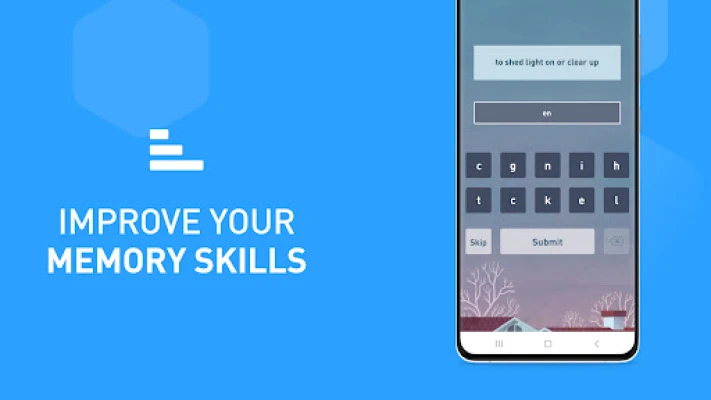
- Varied brain-training games: A range of activities provides practice in language, numbers, memory, and other mental skills.
- Vocabulary practice: Word-focused challenges encourage users to learn and recognize vocabulary through interactive tasks.
- Speaking and communication exercises: Selected activities target practical communication skills, making the app relevant beyond puzzle-solving.
- Mental math challenges: Quick arithmetic exercises offer a convenient way to practise calculations and number fluency.
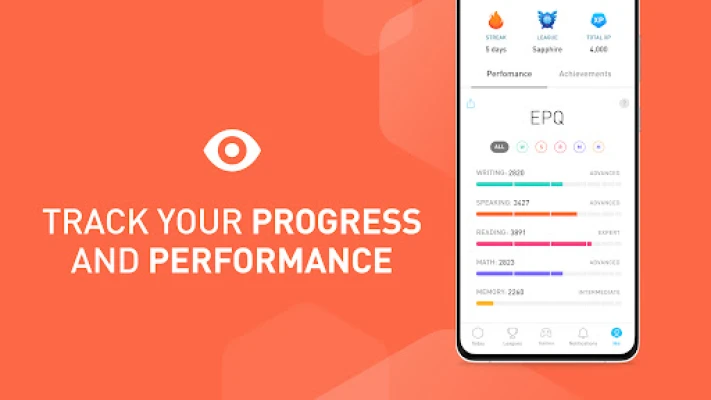
- Progress tracking: Performance summaries help users see how they are doing and identify skills they may want to practise more.
- Short, approachable sessions: Bite-sized activities make it easier to fit brain training into a study break or daily routine.
- Adult and student appeal: The mix of learning-focused content and game mechanics suits users looking for structured mental challenges.
✅ Pros and ❌ Cons
- Pros
- Offers a broad selection of language, math, memory, and processing exercises.
- Personalizes training based on performance.
- Uses an accessible, game-like format rather than traditional worksheets.
- Short sessions can fit into a busy routine.
- Progress summaries provide a useful overview of practice.
- Cons
- Some features or training options may require a paid subscription.
- Regular use is needed to get the most out of its practice routines.
- Users looking for a fully customizable course may find the guided approach limiting.
- Game scores should not be treated as a clinical assessment or proof of real-world cognitive improvement.
- Availability, pricing, and specific features can vary by region, device, and app version.
📋 App Details
- App Name: Elevate – Brain Training
- Current Version: Check Google Play or the app’s official listing for the latest version available to your device.
- Last Updated: The release date can vary by region; consult the current store listing.
- File Size: Varies by version and device; check the download page before installing.
- Requires Android: Minimum OS requirements may change between releases. Confirm compatibility on the current Google Play listing.
- Developer: Elevate Labs
- Category: Education
- Content Rating: Check the store listing in your region for the current rating.
💬 User Reviews
User feedback commonly highlights Elevate’s polished interface, variety of exercises, and convenient daily sessions. Many users enjoy the sense of structure and the way activities make practice feel more engaging than a conventional study drill.
Common reservations include subscription costs or limits on what is available without a paid plan. Some users may also want more detailed explanations of answers or greater flexibility in choosing activities. As with any app, experiences can differ by device, version, and individual expectations.
🔍 5 Best Alternative Games/Apps
- Peak: A brain-training app with short games covering areas such as memory, attention, and problem-solving. It is a good choice for users who want a broad selection of quick challenges.
- NeuroNation: Offers structured cognitive exercises and progress tracking. Its guided approach may appeal to people who prefer a planned training routine.
- Brilliant: Focuses on interactive lessons in subjects such as math, logic, and science. It suits learners who want to explore concepts in more depth rather than focus only on quick games.
- Duolingo: Uses short, gamified lessons to help users practise languages. It is a strong alternative if vocabulary and communication are your main interests.
- Impulse – Brain Training: Provides a collection of puzzles and mental exercises across different skill areas. Its game-focused format is suitable for users looking for casual daily practice.
🧠 My Opinion
Elevate is a thoughtfully presented option for people who want to add short, varied mental exercises to their routine. Its personalized sessions, skill-focused games, and progress tracking make it more engaging than a basic collection of puzzles, although the subscription model and changing availability of features are worth checking before committing.
It is most worthwhile for students and adults who enjoy consistent, game-based practice. If you want a flexible way to challenge yourself in language, math, memory, and related areas, Elevate is worth considering—just treat it as a learning and entertainment tool rather than a guaranteed shortcut to better performance.
🛡️ Privacy and Security
For the safest installation, download Elevate from Google Play or another reputable source. If you install an APK manually, first check that the file comes from a trusted provider and has not been altered. Unofficial APKs can contain malware, request inappropriate permissions, or expose personal information.
Android may require you to allow Install unknown apps for the browser or file manager handling the APK. Enable this permission only when needed, avoid granting unrelated permissions, and turn it off afterward. Review the app’s current privacy information and permissions before signing in or sharing personal data.
❓ Frequently Asked Questions (FAQs)
Q1: Is Elevate APK free to use?
A1: Elevate may offer free access to some content, while additional features or training options may require a subscription. Check the current app listing for pricing and plan details in your region.
Q2: Do I need an internet connection to use Elevate?
A2: An internet connection may be needed for setup, account features, syncing, or downloading content. Offline availability can depend on the app version and the feature you are using.
Q3: Is it safe to download Elevate APK?
A3: An APK is not automatically safe or unsafe; its safety depends on where it comes from and whether it has been modified. Prefer Google Play or a trusted source, and scan files from outside the store before installing.
Q4: Who is Elevate designed for?
A4: It is designed for adults and students who want engaging practice in areas such as vocabulary, communication, memory, processing speed, and mental math.
Q5: Does Elevate guarantee improved brain performance?
A5: No. Elevate provides practice activities and performance tracking, but results vary by person. It should not be considered a medical treatment or a guarantee of improvement in everyday cognitive ability.
Rate the App
Add Comment & Review
User Reviews
Based on 0 reviews
No reviews added yet.
Comments will not be approved to be posted if they are SPAM, abusive, off-topic, use profanity, contain a personal attack, or promote hate of any kind.





More »

Popular Apps

TradingView: Track All MarketsTradingView Inc.

Bus Fever Party!Lumi Games

Claude by AnthropicAnthropic PBC

Block Craft 3D:Building GameWildlife Studios

Malwarebytes - Mobile SecurityMalwarebytes

Block Blast!HungryStudio

Canva: AI Photo & Video EditorCanva

Candy Crush SagaKing

Carrom Pool: Disc GameMiniclip.com

EA SPORTS FC Soccer Mobile 27ELECTRONIC ARTS
More »
Editor's Choice

Kahoot! Play & Create QuizzesKahoot!

United AirlinesUnited Airlines

Tripwoa: Travel Plan & Trailtripwoa

trivago: Compare hotel pricestrivago N.V.

Planner 5D: AI Home DesignPlanner 5D

ibis Paint Xibis inc.

Agoda: Cheap Flights & Hotelsagoda.com

Hopper: Hotels, Flights & CarsHopper Inc.

Brilliant: Learn Math & CodingBrilliant.org

Google ClassroomGoogle LLC