



Latest Version
Update
October 17, 2026
October 17, 2026
Developer
WhatsApp LLC
WhatsApp LLC
Categories
Communication
Communication
Platforms
Android
Android
Downloads
0
0
License
Free
Free
Package Name
com.whatsapp
com.whatsapp
Report
Report a Problem
Report a Problem
More About WhatsApp Messenger
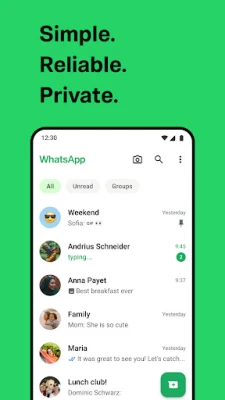
WhatsApp from Meta is a FREE messaging and video calling app. It’s used by over 2B people in more than 180 countries. It’s simple, reliable, and private, so you can easily keep in touch with your friends and family. WhatsApp works across mobile and desktop even on slow connections, with no subscription fees*.
WhatsApp Messenger is a communication app for sending messages, making calls, and sharing media with people around the world. Its private messaging features, simple phone-number setup, and support for group chats make it a popular choice for staying connected.
Keeping in touch should be easy, whether you are messaging one person, coordinating a group, or calling relatives in another country. WhatsApp brings these everyday conversations together in one app, with messaging, voice and video calls, media sharing, and temporary Status updates.
Its familiar interface and phone-number-based setup make it accessible to new users, while end-to-end encryption helps protect personal chats and calls. WhatsApp is especially useful for people who want one convenient way to communicate across mobile devices, desktop, and compatible Wear OS watches.
WhatsApp Messenger is a messaging and calling application developed by WhatsApp LLC. Users can send text and voice messages, share photos, videos, documents, and locations, and make voice or video calls over an internet connection. It supports individual and group conversations, while Status lets users post photos, videos, GIFs, or text that disappear after 24 hours.
An APK is the package file format Android uses to install apps. Downloading an APK can allow manual installation, but it is important to use a trusted source and make sure the file is an authentic, up-to-date release. The Google Play Store is generally the simplest way to install and update WhatsApp.
Pros
Cons
User feedback commonly appreciates WhatsApp’s straightforward interface, broad adoption, dependable everyday messaging, and convenient voice and video calling. Group chats, media sharing, and end-to-end encryption are also frequently valued.
Common concerns include occasional bugs or performance issues after updates, differences in call quality depending on the internet connection, and requests for additional features or more control over certain settings. Experiences can vary by device, software version, network, and region.
WhatsApp Messenger is a capable all-in-one communication app for people who want easy access to private chats, calls, group conversations, and everyday media sharing. Its simple phone-number setup and broad popularity make it especially useful when friends, family, or colleagues already use the service.
It is worth considering if you want a familiar messaging app with encrypted personal conversations and useful cross-device options. Download it from Google Play when possible, keep it updated, and review your privacy settings to make the experience work for you.
WhatsApp says personal messages and calls are end-to-end encrypted. Still, users should protect their accounts, use their devices’ security features, be careful with unexpected messages and attachments, and review privacy and linked-device settings. Encryption does not remove every online risk, and you should only share sensitive information with people you trust.
For the safest installation, use Google Play or another source you trust. If you manually install an APK, Android may ask you to allow installation from that source in your settings; enable this permission only when necessary and consider turning it off afterward. Unofficial, altered, or outdated APKs may contain malware, compromise personal data, or fail to receive security updates.
Q1: Is WhatsApp Messenger free to use?
A1: WhatsApp is free to download and use, but your mobile or internet provider may charge for data, especially when you make calls or share media.
Q2: Do I need an internet connection to use WhatsApp?
A2: Yes. Sending messages, sharing content, and making calls require an internet connection through Wi-Fi or mobile data.
Q3: Is WhatsApp Messenger APK safe to download?
A3: The app is safest to install through Google Play. If you use an APK, choose a reputable source and verify that it is genuine and current. Unofficial or modified files can contain malware or put your privacy at risk.
Q4: Can I use WhatsApp without a phone number?
A4: WhatsApp registration requires a phone number that can complete the verification process. The app does not use a traditional username-only sign-up.
Q5: Are WhatsApp messages and calls private?
A5: WhatsApp says personal messages and calls are protected with end-to-end encryption. You should still protect your phone and account and be cautious about what you share.
WhatsApp Messenger APK
📱 WhatsApp Messenger APK Summary
WhatsApp Messenger is a communication app for sending messages, making calls, and sharing media with people around the world. Its private messaging features, simple phone-number setup, and support for group chats make it a popular choice for staying connected.
- App Name: WhatsApp Messenger
- Current Version: Version varies by device and rollout; check Google Play for the latest release
- Last Updated: Updated regularly; the latest date may vary by region and device
- Category: Communication
- Developer: WhatsApp LLC
- Google Play Rating: Ratings and review counts change over time and vary by country
💡 Introduction
Keeping in touch should be easy, whether you are messaging one person, coordinating a group, or calling relatives in another country. WhatsApp brings these everyday conversations together in one app, with messaging, voice and video calls, media sharing, and temporary Status updates.
Its familiar interface and phone-number-based setup make it accessible to new users, while end-to-end encryption helps protect personal chats and calls. WhatsApp is especially useful for people who want one convenient way to communicate across mobile devices, desktop, and compatible Wear OS watches.
❓ What Is WhatsApp Messenger APK?
WhatsApp Messenger is a messaging and calling application developed by WhatsApp LLC. Users can send text and voice messages, share photos, videos, documents, and locations, and make voice or video calls over an internet connection. It supports individual and group conversations, while Status lets users post photos, videos, GIFs, or text that disappear after 24 hours.
An APK is the package file format Android uses to install apps. Downloading an APK can allow manual installation, but it is important to use a trusted source and make sure the file is an authentic, up-to-date release. The Google Play Store is generally the simplest way to install and update WhatsApp.
🧑💻 How to Use WhatsApp Messenger
- Install the app: Get WhatsApp from Google Play or another trusted source, then open it.
- Register your number: Enter your phone number and complete the verification process. Depending on your region, verification may use SMS.
- Set up your profile: Add a name and, if you want, a profile photo. Review the app’s permission requests and grant only those you need.
- Start a conversation: Choose a contact who uses WhatsApp, or create a new chat. Type a message, record a voice note, or attach a photo, video, document, or location.
- Make a call: Open an individual or group chat and tap the voice-call or video-call icon. Group calls can support up to 32 participants, subject to feature availability and device requirements.
- Create a group or share a Status: Start a group to chat with several contacts, or use the Status tab to share an update that expires after 24 hours.
- Adjust privacy settings: Visit Settings to manage account privacy, linked devices, notifications, and other preferences.
⚙️ Features
- End-to-end encrypted personal chats and calls: Your personal messages and calls are protected so that they cannot be read or heard by WhatsApp or other people outside the conversation.
- Simple phone-number setup: Sign up with a phone number instead of creating a separate username and password, then find contacts who use WhatsApp.
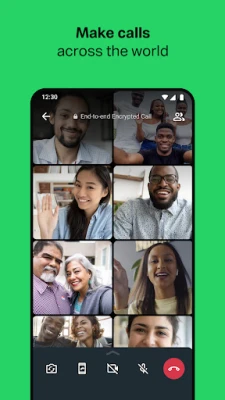
- Voice and video calls: Call friends and family over the internet, including group video and voice calls with up to 32 participants where supported.
- Group chats and media sharing: Keep conversations organized and share messages, photos, videos, and documents with multiple people across supported mobile and desktop experiences.
- Voice messages: Record and send audio when typing is inconvenient, making it easy to share a quick thought or update.
- Live location sharing: Share your location with selected people in an individual or group chat, and stop sharing whenever you choose.
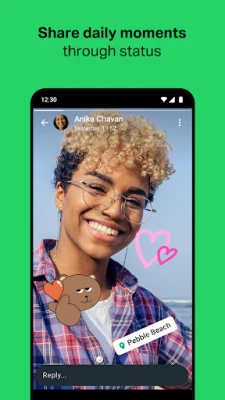
- 24-hour Status updates: Post text, photos, videos, and GIFs that disappear after a day. You can choose who is able to see your updates.
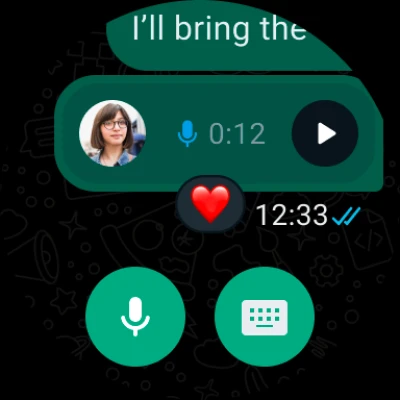
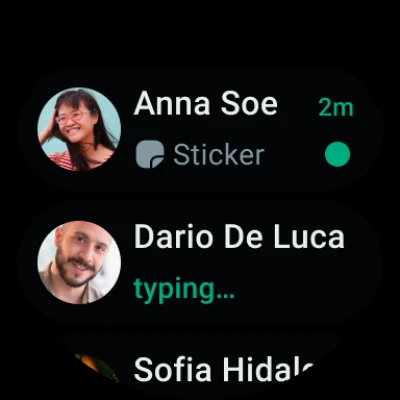
- Wear OS support: On compatible watches, continue conversations, reply to messages, take calls, and access chats or voice messages using available tiles and complications.
✅ Pros and ❌ Cons
Pros
- Personal messages and calls are end-to-end encrypted.
- Combines messaging, calling, media sharing, group chats, and Status in one app.
- Uses a phone number for straightforward account setup.
- Supports group calls and communication across supported devices.
- Offers useful controls for Status and location sharing.
- Available on compatible desktop and Wear OS experiences as well as mobile.
Cons
- An active internet connection is needed for sending messages and making calls; mobile data charges may apply.
- Registration requires access to a phone number and verification.
- People you want to contact generally need to use WhatsApp too.
- Features, compatibility, and availability can differ by device, operating system, and region.
- Installing an unofficial or modified APK can expose your device and personal information to security risks.
📋 App Details
- App Name: WhatsApp Messenger
- Current Version: Varies by release and device; check Google Play or the app listing for the current version
- Last Updated: WhatsApp is updated regularly; availability of updates may vary
- File Size: Varies by version, device, and distribution format
- Requires Android: Minimum supported Android version can change; check the current Play Store listing for your device
- Developer: WhatsApp LLC
- Content Rating: Teen on Google Play; ratings may vary by region
- Category: Communication
- Cost: Free to download; internet or mobile data charges may apply
💬 User Reviews
User feedback commonly appreciates WhatsApp’s straightforward interface, broad adoption, dependable everyday messaging, and convenient voice and video calling. Group chats, media sharing, and end-to-end encryption are also frequently valued.
Common concerns include occasional bugs or performance issues after updates, differences in call quality depending on the internet connection, and requests for additional features or more control over certain settings. Experiences can vary by device, software version, network, and region.
🔍 5 Best Alternative Apps
- Telegram: A messaging app with large groups, channels, and extensive customization. It is a strong alternative for users who want broadcast-style communities and additional chat tools.
- Signal Private Messenger: A privacy-focused messaging app with encrypted conversations and calls. It may suit users looking for a simple service centered on private communication.
- Viber Messenger: Offers chats, voice and video calls, group conversations, and community features. It is a practical option for keeping different types of communication in one place.
- Facebook Messenger: Provides messaging, calls, group conversations, and media sharing, particularly convenient for people already connected through Facebook.
- LINE: Combines messaging and calls with stickers, social features, and other services in supported regions. It can be a good fit for users who want a more expressive chat experience.
🧠 My Opinion
WhatsApp Messenger is a capable all-in-one communication app for people who want easy access to private chats, calls, group conversations, and everyday media sharing. Its simple phone-number setup and broad popularity make it especially useful when friends, family, or colleagues already use the service.
It is worth considering if you want a familiar messaging app with encrypted personal conversations and useful cross-device options. Download it from Google Play when possible, keep it updated, and review your privacy settings to make the experience work for you.
🛡️ Privacy and Security
WhatsApp says personal messages and calls are end-to-end encrypted. Still, users should protect their accounts, use their devices’ security features, be careful with unexpected messages and attachments, and review privacy and linked-device settings. Encryption does not remove every online risk, and you should only share sensitive information with people you trust.
For the safest installation, use Google Play or another source you trust. If you manually install an APK, Android may ask you to allow installation from that source in your settings; enable this permission only when necessary and consider turning it off afterward. Unofficial, altered, or outdated APKs may contain malware, compromise personal data, or fail to receive security updates.
❓ Frequently Asked Questions (FAQs)
Q1: Is WhatsApp Messenger free to use?
A1: WhatsApp is free to download and use, but your mobile or internet provider may charge for data, especially when you make calls or share media.
Q2: Do I need an internet connection to use WhatsApp?
A2: Yes. Sending messages, sharing content, and making calls require an internet connection through Wi-Fi or mobile data.
Q3: Is WhatsApp Messenger APK safe to download?
A3: The app is safest to install through Google Play. If you use an APK, choose a reputable source and verify that it is genuine and current. Unofficial or modified files can contain malware or put your privacy at risk.
Q4: Can I use WhatsApp without a phone number?
A4: WhatsApp registration requires a phone number that can complete the verification process. The app does not use a traditional username-only sign-up.
Q5: Are WhatsApp messages and calls private?
A5: WhatsApp says personal messages and calls are protected with end-to-end encryption. You should still protect your phone and account and be cautious about what you share.
Rate the App
Add Comment & Review
User Reviews
Based on 0 reviews
No reviews added yet.
Comments will not be approved to be posted if they are SPAM, abusive, off-topic, use profanity, contain a personal attack, or promote hate of any kind.











More »

Popular Apps

TradingView: Track All MarketsTradingView Inc.

Bus Fever Party!Lumi Games

Claude by AnthropicAnthropic PBC

Block Craft 3D:Building GameWildlife Studios

Malwarebytes - Mobile SecurityMalwarebytes

Block Blast!HungryStudio

Canva: AI Photo & Video EditorCanva

Candy Crush SagaKing

Carrom Pool: Disc GameMiniclip.com

EA SPORTS FC Soccer Mobile 27ELECTRONIC ARTS
More »
Editor's Choice

Kahoot! Play & Create QuizzesKahoot!

United AirlinesUnited Airlines

Tripwoa: Travel Plan & Trailtripwoa

trivago: Compare hotel pricestrivago N.V.

Planner 5D: AI Home DesignPlanner 5D

ibis Paint Xibis inc.

Agoda: Cheap Flights & Hotelsagoda.com

Hopper: Hotels, Flights & CarsHopper Inc.

Brilliant: Learn Math & CodingBrilliant.org

Google ClassroomGoogle LLC