




Latest Version
Version
582.0.0.61.92
582.0.0.61.92
Update
October 17, 2026
October 17, 2026
Developer
Meta Platforms, Inc.
Meta Platforms, Inc.
Categories
Communication
Communication
Platforms
Android
Android
Downloads
0
0
License
Free
Free
Package Name
com.facebook.orca
com.facebook.orca
Report
Report a Problem
Report a Problem
More About Messenger
Messenger is a free messaging app that helps you connect with anyone, anywhere. Stay in touch with your friends and family, explore your interests with people like you, build your community, and share your vibe beyond words, all in one app.
Messenger is Meta’s messaging and calling app for keeping in touch with friends, family, groups, and communities. It supports text and voice communication, photo and file sharing, customizable chats, and Meta AI features in supported countries and languages.
Messenger makes it easy to chat or call people without needing their phone numbers, and it brings everyday communication tools together in one app. Send photos, share files, organize group albums, or add a little personality with themes, stickers, and GIFs. For eligible users, Meta AI adds help with questions and creative tasks, making Messenger more than a basic messaging app.
Messenger is a communication app from Meta designed for conversations with friends, family, and groups. Users can exchange messages, make voice and video calls, share photos and files, and take part in community chats or creator broadcast channels. Additional options—such as disappearing messages, Stories, Notes, and AI tools—offer more ways to communicate and personalize the experience.
An APK is the Android application package format used to distribute and install apps. Installing Messenger from an APK can be an alternative to using Google Play, but it is important to choose a trustworthy source and verify that the file is genuine and up to date.
Pros
Cons
User feedback commonly appreciates Messenger’s convenience, familiar interface, broad range of communication options, and ability to share media and documents in chats. Group conversations, calling, and expressive features such as reactions and stickers are also popular. Common criticisms include occasional bugs or performance issues, a busy interface, and changes to features or layouts. Experiences can differ depending on the device, app version, and location.
Messenger is a versatile choice for people who want more than text messaging: it combines chats and calls with photo albums, document sharing, community conversations, and plenty of ways to personalize messages. Its wide range of tools is useful, although the interface may feel busy if you prefer a minimal app. Meta AI features are an extra benefit where available, but they are not offered everywhere. Overall, Messenger is worth considering if your friends, family, or groups already use it and you want communication features in one place.
Download Messenger through Google Play or another trusted source whenever possible. Unofficial APKs can be modified and may contain malware or expose personal information, so avoid files from unknown websites. Installing an APK manually may require enabling permission to install unknown apps for the relevant source in Android settings; enable it only when necessary and turn it off afterward. Review the app’s permissions and privacy settings, and remember that the protection available can depend on the chat type and feature being used.
Q1: Is Messenger APK free to use?
A1: Messenger is generally free to download and use. Internet access may incur data charges, and some features or services may have separate terms.
Q2: Do I need an internet connection to use Messenger?
A2: Yes. Messaging, calls, and sharing content require an internet connection, such as Wi-Fi or mobile data.
Q3: Is it safe to download Messenger APK?
A3: It can be safe when the file is authentic and obtained from a reputable source. Unofficial or modified APKs may contain harmful software, so the safest option is to install the app through Google Play.
Q4: Can I edit a message after sending it?
A4: Messenger allows users to edit a sent message within a limited period—up to 15 minutes, according to the app description. Available options may vary by version or conversation.
Q5: Is Meta AI available to everyone in Messenger?
A5: No. Meta AI is available only in select countries and languages, with availability depending on the rollout.
Messenger APK
📱 Messenger APK Summary
Messenger is Meta’s messaging and calling app for keeping in touch with friends, family, groups, and communities. It supports text and voice communication, photo and file sharing, customizable chats, and Meta AI features in supported countries and languages.
- App Name: Messenger
- Current Version: Version varies by device and rollout; check Google Play for the latest release
- Last Updated: Updated regularly; the latest date varies by region and Play Store listing
- Category: Communication
- Developer: Meta Platforms, Inc.
- Google Play Rating: Ratings and review counts change over time and by region; check Google Play for the current figures
💡 Introduction
Messenger makes it easy to chat or call people without needing their phone numbers, and it brings everyday communication tools together in one app. Send photos, share files, organize group albums, or add a little personality with themes, stickers, and GIFs. For eligible users, Meta AI adds help with questions and creative tasks, making Messenger more than a basic messaging app.
❓ What is Messenger APK?
Messenger is a communication app from Meta designed for conversations with friends, family, and groups. Users can exchange messages, make voice and video calls, share photos and files, and take part in community chats or creator broadcast channels. Additional options—such as disappearing messages, Stories, Notes, and AI tools—offer more ways to communicate and personalize the experience.
An APK is the Android application package format used to distribute and install apps. Installing Messenger from an APK can be an alternative to using Google Play, but it is important to choose a trustworthy source and verify that the file is genuine and up to date.
🧑💻 How to Use
- Install and open Messenger: Get the app from Google Play or another source you trust, then launch it.
- Sign in: Follow the on-screen instructions to sign in with an available Meta account or set up an account if prompted.
- Find someone to contact: Choose a conversation, search for a person, or connect by scanning or sharing a Messenger QR code.
- Start a conversation: Type a message, then add photos, stickers, GIFs, or other available attachments.
- Make a call: Open a conversation and choose the voice or video call option. Call availability depends on your connection and app permissions.
- Use group tools: Create or open a group chat to share messages, files, and shared photo or video albums.
- Personalize your chats: Explore chat themes and settings. Where available, use disappearing messages or Meta AI features.
⚙️ Features
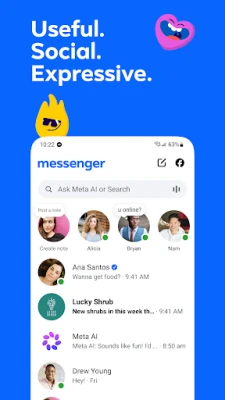
- Messaging and calls: Chat and make voice or video calls with people on Messenger, without needing to exchange phone numbers.
- High-definition photo sharing: Send and receive clearer photos to preserve more detail in shared memories.
- Shared albums: Collect and organize photos and videos in group chats, making it easier to revisit trips, celebrations, and other events.
- QR code connections: Connect with someone in person by scanning their Messenger QR code or sharing your own through a link.
- Large file sharing: Send supported documents, including Word, PDF, and Excel files, up to 100 MB directly in a chat.
- Edit or unsend messages: Correct a message after sending or remove it from a conversation; editing is available for a limited period after sending.
- Disappearing messages: In supported end-to-end encrypted chats, set messages to disappear after they have been read.
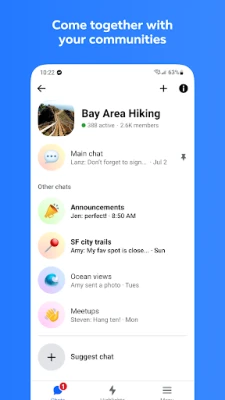
- Groups and communities: Keep up with shared interests and connect with people in groups such as school, neighborhood, or hobby communities.
- Stories and Notes: Share photos, videos, or brief updates that are designed to disappear after 24 hours.
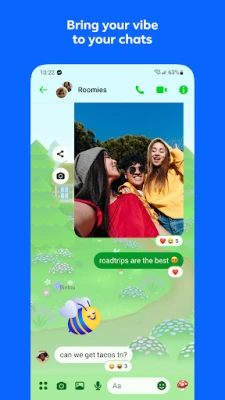
- Chat customization: Use themes, animated stickers, GIFs, and reactions to give conversations a more personal feel.
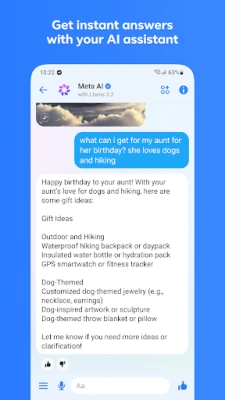
- Meta AI tools: In supported countries and languages, ask questions or explore help with creative tasks, including image creation and editing.
✅ Pros and ❌ Cons
Pros
- Combines messaging, calls, media sharing, and group conversations in one app.
- Does not require sharing a phone number to connect with Messenger contacts.
- Includes useful group features such as shared albums and large document transfers.
- Offers chat themes, stickers, reactions, Stories, and other personalization tools.
- Provides end-to-end encrypted chats with disappearing-message options where supported.
- Meta AI features offer additional assistance in eligible regions and languages.
Cons
- Some AI tools and features may not be available in every country or language.
- The app can feel crowded for users who only want simple messaging.
- Availability and behavior of certain features can vary by account, region, and app version.
- It requires an internet connection for messaging and calls.
- Unofficial APK files may pose security and privacy risks if downloaded from untrusted sites.
📋 App Details
- App Name: Messenger
- Current Version: Varies by device and release rollout; check Google Play for the installed and latest version
- Last Updated: Updated regularly; check the app listing for the latest date in your region
- File Size: Varies by version, device, and installation package
- Requires Android: Minimum requirement varies by release and device; check the current Google Play listing before installing
- Developer: Meta Platforms, Inc.
- Content Rating: Check Google Play for the current rating in your region
💬 User Reviews
User feedback commonly appreciates Messenger’s convenience, familiar interface, broad range of communication options, and ability to share media and documents in chats. Group conversations, calling, and expressive features such as reactions and stickers are also popular. Common criticisms include occasional bugs or performance issues, a busy interface, and changes to features or layouts. Experiences can differ depending on the device, app version, and location.
🔍 5 Best Alternative Apps
- WhatsApp Messenger: A widely used messaging app with voice and video calls, group chats, and media sharing. It is a strong option for people who prefer phone-number-based connections.
- Telegram: A messaging service known for large groups, channels, and extensive file-sharing options. Its features and privacy settings differ from Messenger, so compare them to find the right fit.
- Signal Private Messenger: A privacy-focused app for messaging and calls. It is a good choice for users who prioritize encrypted communication and a simpler interface.
- Viber Messenger: Offers messaging, group conversations, and voice and video calls, along with additional social and customization features.
- Discord: Built around communities, servers, and voice channels, Discord suits people who want to spend time chatting with groups organized around shared interests.
🧠 My Opinion
Messenger is a versatile choice for people who want more than text messaging: it combines chats and calls with photo albums, document sharing, community conversations, and plenty of ways to personalize messages. Its wide range of tools is useful, although the interface may feel busy if you prefer a minimal app. Meta AI features are an extra benefit where available, but they are not offered everywhere. Overall, Messenger is worth considering if your friends, family, or groups already use it and you want communication features in one place.
🛡️ Privacy and Security
Download Messenger through Google Play or another trusted source whenever possible. Unofficial APKs can be modified and may contain malware or expose personal information, so avoid files from unknown websites. Installing an APK manually may require enabling permission to install unknown apps for the relevant source in Android settings; enable it only when necessary and turn it off afterward. Review the app’s permissions and privacy settings, and remember that the protection available can depend on the chat type and feature being used.
❓ Frequently Asked Questions (FAQs)
Q1: Is Messenger APK free to use?
A1: Messenger is generally free to download and use. Internet access may incur data charges, and some features or services may have separate terms.
Q2: Do I need an internet connection to use Messenger?
A2: Yes. Messaging, calls, and sharing content require an internet connection, such as Wi-Fi or mobile data.
Q3: Is it safe to download Messenger APK?
A3: It can be safe when the file is authentic and obtained from a reputable source. Unofficial or modified APKs may contain harmful software, so the safest option is to install the app through Google Play.
Q4: Can I edit a message after sending it?
A4: Messenger allows users to edit a sent message within a limited period—up to 15 minutes, according to the app description. Available options may vary by version or conversation.
Q5: Is Meta AI available to everyone in Messenger?
A5: No. Meta AI is available only in select countries and languages, with availability depending on the rollout.
Rate the App
Add Comment & Review
User Reviews
Based on 0 reviews
No reviews added yet.
Comments will not be approved to be posted if they are SPAM, abusive, off-topic, use profanity, contain a personal attack, or promote hate of any kind.










More »

Popular Apps

TradingView: Track All MarketsTradingView Inc.

Bus Fever Party!Lumi Games

Claude by AnthropicAnthropic PBC

Block Craft 3D:Building GameWildlife Studios

Malwarebytes - Mobile SecurityMalwarebytes

Block Blast!HungryStudio

Canva: AI Photo & Video EditorCanva

Candy Crush SagaKing

Carrom Pool: Disc GameMiniclip.com

EA SPORTS FC Soccer Mobile 27ELECTRONIC ARTS
More »
Editor's Choice

Kahoot! Play & Create QuizzesKahoot!

United AirlinesUnited Airlines

Tripwoa: Travel Plan & Trailtripwoa

trivago: Compare hotel pricestrivago N.V.

Planner 5D: AI Home DesignPlanner 5D

ibis Paint Xibis inc.

Agoda: Cheap Flights & Hotelsagoda.com

Hopper: Hotels, Flights & CarsHopper Inc.

Brilliant: Learn Math & CodingBrilliant.org

Google ClassroomGoogle LLC