

Latest Version
Update
October 17, 2026
October 17, 2026
Developer
Total Security Limited
Total Security Limited
Categories
Security
Security
Platforms
Android
Android
Downloads
0
0
License
Free
Free
Package Name
com.totalav.android
com.totalav.android
Report
Report a Problem
Report a Problem
More About TotalAV Antivirus & Security
Get TotalAV; your on-the-go solution for mobile security! An all in one solution combining antivirus, dangerous website protection, VPN for enhanced privacy and a host of robust cybersecurity tools.
TotalAV Mobile Security combines mobile security and privacy tools with features for managing photos, videos, and contacts. Some functions are available for free, while premium protection requires a subscription; the app also offers a subscription-based seven-day trial.
Keeping personal information and an Android device secure can involve more than scanning for malware. TotalAV Mobile Security brings together security checks, app locking, web protection, and cleanup tools in one app, giving users a convenient place to manage several everyday privacy tasks.
Its free tools include data-breach checking and AppLock, while premium features add protections such as real-time scanning, a VPN, and checks for Wi-Fi networks and QR codes. Before subscribing, it is worth reviewing the trial and renewal terms so you know when charges may begin.
TotalAV Mobile Security is an Android security and device-management app designed to help users check for potential threats, protect selected apps, and improve privacy while browsing. Depending on the plan, it can offer malware scanning, website blocking, Wi-Fi and QR-code checks, and an encrypted VPN connection. It also includes tools for finding duplicate photos, old screenshots, unwanted photo bursts, and duplicate contacts to help organize files and free up space.
An APK is the Android application package format used to install apps. Downloading an APK can allow manual installation, but an unofficial file may not be authentic, current, or safe. When possible, install the app through Google Play or another trusted distribution channel.
Pros
Cons
User feedback for security apps commonly reflects both convenience and the importance of clear pricing. People who like TotalAV may value having scanning, AppLock, browsing protection, and cleanup tools together rather than installing separate apps. As with any mobile security product, users should also consider whether the permissions and subscription features suit their needs.
Potential points of frustration include paid-feature limits, trial-to-subscription terms, and the need to grant permissions for functions such as website blocking or app locking. Ratings and review themes change over time, so check the latest Google Play feedback for current experiences with your device and region.
TotalAV Mobile Security may suit Android users who want a single app for app locking, security checks, web protection, and basic file cleanup. Its free breach check and AppLock offer useful starting points, while the broader premium package is aimed at people who want additional scanning, VPN, and network-checking features.
The main consideration is the subscription: the seven-day trial requires enrollment in a subscription, which renews monthly after the trial unless canceled. Review the price, renewal date, required permissions, and feature availability before signing up. If those terms fit your needs, the app can be a convenient security toolkit; if you only need basic checks, built-in Android protections or a free alternative may be enough.
Download TotalAV Mobile Security from Google Play or another source you trust. Unofficial APK files can be modified, outdated, or bundled with malware, and may put personal data at risk. If you install an APK manually, Android may ask you to enable Install unknown apps for the specific app used to open the file. Only grant that permission when necessary, and turn it off again afterward.
TotalAV states that it uses Accessibility permission to collect information about websites and apps visited for its website-blocking and app-locking functions. The app also uses a foreground service to detect newly installed or updated apps promptly so they can be scanned. These permissions support advertised features but involve sensitive access; read the in-app disclosures and privacy policy, and grant access only if you are comfortable with its purpose.
Q1: Is TotalAV Mobile Security APK free to use?
A1: Some features, including data-breach checking and AppLock, are described as free. Premium features require a subscription, and a subscription is needed to start the seven-day trial.
Q2: Does TotalAV Mobile Security require an internet connection?
A2: Internet access is needed for online features such as breach checks, website protection, VPN use, and subscription management. The availability of other functions may depend on the feature and app version.
Q3: Is it safe to download TotalAV Mobile Security APK?
A3: The safest option is to install the app from Google Play. If you use an APK, choose a reputable source and verify the file, because unofficial or modified APKs can contain malware or compromise your privacy.
Q4: How do I avoid being charged after the seven-day trial?
A4: Cancel the subscription through your Google Play account before the trial ends. Check the subscription details and renewal date in Google Play; uninstalling the app alone may not cancel a subscription.
Q5: Why does the app request Accessibility permission?
A5: The app says this permission supports website blocking and AppLock by gathering information about visited websites and apps. Review the permission prompt and privacy disclosures before enabling it.
TotalAV Mobile Security APK
📱 TotalAV Mobile Security APK Summary
TotalAV Mobile Security combines mobile security and privacy tools with features for managing photos, videos, and contacts. Some functions are available for free, while premium protection requires a subscription; the app also offers a subscription-based seven-day trial.
- App Name: TotalAV Mobile Security
- Current Version: Not verified; version numbers can vary by device and release
- Last Updated: Not verified
- Category: Tools / Security
- Developer: Protected.net Group Limited
- Google Play Rating: Rating and review count vary over time and by region; check Google Play for the current figures
💡 Introduction
Keeping personal information and an Android device secure can involve more than scanning for malware. TotalAV Mobile Security brings together security checks, app locking, web protection, and cleanup tools in one app, giving users a convenient place to manage several everyday privacy tasks.
Its free tools include data-breach checking and AppLock, while premium features add protections such as real-time scanning, a VPN, and checks for Wi-Fi networks and QR codes. Before subscribing, it is worth reviewing the trial and renewal terms so you know when charges may begin.
❓ What Is TotalAV Mobile Security APK?
TotalAV Mobile Security is an Android security and device-management app designed to help users check for potential threats, protect selected apps, and improve privacy while browsing. Depending on the plan, it can offer malware scanning, website blocking, Wi-Fi and QR-code checks, and an encrypted VPN connection. It also includes tools for finding duplicate photos, old screenshots, unwanted photo bursts, and duplicate contacts to help organize files and free up space.
An APK is the Android application package format used to install apps. Downloading an APK can allow manual installation, but an unofficial file may not be authentic, current, or safe. When possible, install the app through Google Play or another trusted distribution channel.
🧑💻 How to Use
- Install the app: Get TotalAV Mobile Security from Google Play or a trusted source, then open it.
- Review the setup: Read the prompts and decide which permissions to grant. Only allow access that you understand and need for the features you plan to use.
- Check for exposed data: Use the data-breach check to see whether information associated with your details may have appeared in a known breach.
- Set up AppLock: Choose a PIN or supported biometric method, then select the apps you want to protect.
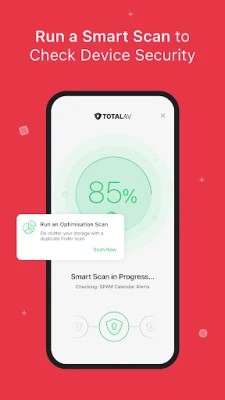
- Run a scan: Use Smart Scan to check the device for potential malware. If your plan includes real-time protection, review its settings and status in the app.
- Use privacy checks: Open WebShield, Wi-Fi Checker, or QR Checker when you want to assess a website, network, or QR-code destination.
- Manage files and your plan: Use the cleanup tools to review suggested photos or contacts before removing anything. Manage subscriptions and cancellations through your Google Play account.
⚙️ Features
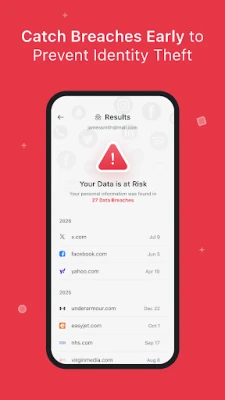
- Data Breach Check: Checks whether personal information may have been exposed in an online data breach, helping users decide when to take steps such as changing a password.
- AppLock: Protects selected apps with a PIN or biometric authentication, adding a layer of privacy when someone else uses your device.
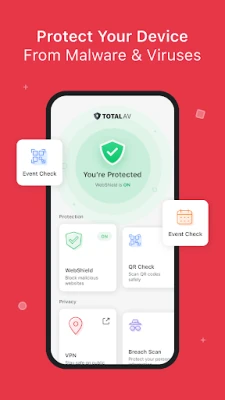
- Real-Time Protection: A premium feature that monitors for malware and viruses as you use your device. Availability depends on your subscription and app configuration.
- Smart Scan: Runs a device scan to look for potential malware, giving users a convenient way to check their phone.
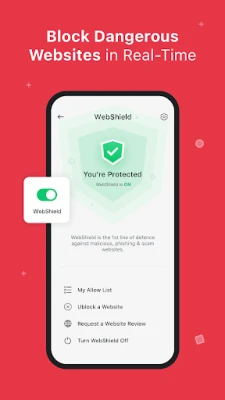
- WebShield: Helps block or warn against phishing and scam websites, which can be designed to steal login or payment information.
- Wi-Fi Checker: Assesses Wi-Fi connections for security concerns so users can be more cautious when joining unfamiliar networks.
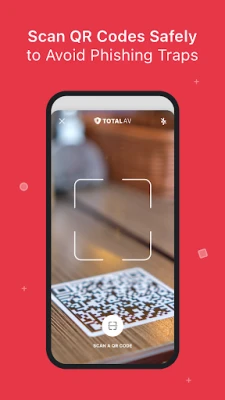
- QR Checker: Checks links associated with QR codes to help identify potentially unsafe destinations before opening them.
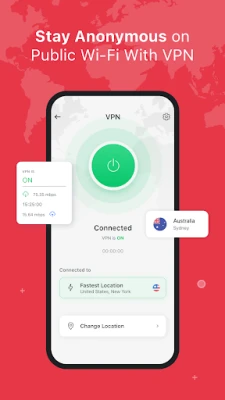
- VPN: Encrypts network traffic between the device and the VPN service. A VPN can improve privacy on some connections, but it does not make all online activity anonymous or risk-free.
- Photo, video, and contact management: Helps locate duplicates, older screenshots, unwanted photo bursts, and duplicate contacts. Review suggested items before deleting them.
✅ Pros and ❌ Cons
Pros
- Combines several security, privacy, and cleanup tools in one app.
- Offers free data-breach checking and app locking.
- Includes checks for websites, Wi-Fi networks, and QR-code links in its premium feature set.
- File and contact organization tools can help users find items they may no longer need.
- AppLock supports a PIN or biometrics, depending on device compatibility.
Cons
- Many of the advertised security features require a paid subscription.
- The seven-day trial requires starting a subscription and may convert to a paid monthly plan if not canceled in time.
- Some features require sensitive permissions, so users should review the permission explanations carefully.
- VPN and security-tool effectiveness can vary; no app can guarantee complete protection or anonymity.
- Cleanup suggestions should be checked before removal to avoid deleting files or contacts you want to keep.
📋 App Details
- App Name: TotalAV Mobile Security
- Current Version: Not verified; check the app listing or installed app for the latest version
- Last Updated: Not verified; update dates may vary by store region
- File Size: Varies by version, device, and installation source
- Requires Android: Minimum requirement not verified; check the current Google Play listing for device compatibility
- Developer: Protected.net Group Limited
- Content Rating: Check Google Play for the current regional rating
- Pricing: Some features are free; premium features require a subscription
💬 User Reviews
User feedback for security apps commonly reflects both convenience and the importance of clear pricing. People who like TotalAV may value having scanning, AppLock, browsing protection, and cleanup tools together rather than installing separate apps. As with any mobile security product, users should also consider whether the permissions and subscription features suit their needs.
Potential points of frustration include paid-feature limits, trial-to-subscription terms, and the need to grant permissions for functions such as website blocking or app locking. Ratings and review themes change over time, so check the latest Google Play feedback for current experiences with your device and region.
🔍 5 Best Alternative Apps
- Bitdefender Mobile Security: A mobile security option with malware protection and web-security tools. Compare its included features and subscription terms with your needs.
- Avast Mobile Security: Offers a collection of Android security tools, with some features available through paid plans.
- Malwarebytes Mobile Security: Focuses on identifying and helping protect against mobile threats and unsafe web destinations.
- Norton 360: Mobile Security: Provides mobile protection features as part of Norton’s broader security product range; feature availability depends on the plan.
- Google Play Protect: Built into Google Play services on supported Android devices and checks apps for potentially harmful behavior. It is a straightforward option for users seeking basic app-safety checks.
🧠 My Opinion
TotalAV Mobile Security may suit Android users who want a single app for app locking, security checks, web protection, and basic file cleanup. Its free breach check and AppLock offer useful starting points, while the broader premium package is aimed at people who want additional scanning, VPN, and network-checking features.
The main consideration is the subscription: the seven-day trial requires enrollment in a subscription, which renews monthly after the trial unless canceled. Review the price, renewal date, required permissions, and feature availability before signing up. If those terms fit your needs, the app can be a convenient security toolkit; if you only need basic checks, built-in Android protections or a free alternative may be enough.
🛡️ Privacy and Security
Download TotalAV Mobile Security from Google Play or another source you trust. Unofficial APK files can be modified, outdated, or bundled with malware, and may put personal data at risk. If you install an APK manually, Android may ask you to enable Install unknown apps for the specific app used to open the file. Only grant that permission when necessary, and turn it off again afterward.
TotalAV states that it uses Accessibility permission to collect information about websites and apps visited for its website-blocking and app-locking functions. The app also uses a foreground service to detect newly installed or updated apps promptly so they can be scanned. These permissions support advertised features but involve sensitive access; read the in-app disclosures and privacy policy, and grant access only if you are comfortable with its purpose.
❓ Frequently Asked Questions (FAQs)
Q1: Is TotalAV Mobile Security APK free to use?
A1: Some features, including data-breach checking and AppLock, are described as free. Premium features require a subscription, and a subscription is needed to start the seven-day trial.
Q2: Does TotalAV Mobile Security require an internet connection?
A2: Internet access is needed for online features such as breach checks, website protection, VPN use, and subscription management. The availability of other functions may depend on the feature and app version.
Q3: Is it safe to download TotalAV Mobile Security APK?
A3: The safest option is to install the app from Google Play. If you use an APK, choose a reputable source and verify the file, because unofficial or modified APKs can contain malware or compromise your privacy.
Q4: How do I avoid being charged after the seven-day trial?
A4: Cancel the subscription through your Google Play account before the trial ends. Check the subscription details and renewal date in Google Play; uninstalling the app alone may not cancel a subscription.
Q5: Why does the app request Accessibility permission?
A5: The app says this permission supports website blocking and AppLock by gathering information about visited websites and apps. Review the permission prompt and privacy disclosures before enabling it.
Rate the App
Add Comment & Review
User Reviews
Based on 0 reviews
No reviews added yet.
Comments will not be approved to be posted if they are SPAM, abusive, off-topic, use profanity, contain a personal attack, or promote hate of any kind.


More »

Popular Apps

TradingView: Track All MarketsTradingView Inc.

Bus Fever Party!Lumi Games

Claude by AnthropicAnthropic PBC

Block Craft 3D:Building GameWildlife Studios

Malwarebytes - Mobile SecurityMalwarebytes

Block Blast!HungryStudio

Canva: AI Photo & Video EditorCanva

Candy Crush SagaKing

Carrom Pool: Disc GameMiniclip.com

EA SPORTS FC Soccer Mobile 27ELECTRONIC ARTS
More »
Editor's Choice

Kahoot! Play & Create QuizzesKahoot!

United AirlinesUnited Airlines

Tripwoa: Travel Plan & Trailtripwoa

trivago: Compare hotel pricestrivago N.V.

Planner 5D: AI Home DesignPlanner 5D

ibis Paint Xibis inc.

Agoda: Cheap Flights & Hotelsagoda.com

Hopper: Hotels, Flights & CarsHopper Inc.

Brilliant: Learn Math & CodingBrilliant.org

Google ClassroomGoogle LLC