




Latest Version
Version
9.5.166
9.5.166
Update
October 17, 2026
October 17, 2026
Developer
Sling TV
Sling TV
Categories
Entertainment
Entertainment
Platforms
Android
Android
Downloads
0
0
License
Free
Free
Package Name
com.sling
com.sling
Report
Report a Problem
Report a Problem
More About Sling: Live TV + Freestream
Stream live TV shows, sports, news, movies & more - all without cable.
Sling TV is a live-TV and on-demand streaming service with customizable channel packages, sports, news, entertainment and international programming. It also includes free Sling Freestream content and 50 hours of DVR storage, while paid features and channel availability depend on your plan and location.
Want live television without committing to a traditional cable contract? Sling TV brings a mix of live channels and on-demand viewing to compatible devices, with plans that can be customized to suit different interests. Whether you’re following a game, catching up on the news or looking for a movie, Sling offers several ways to watch in one app.
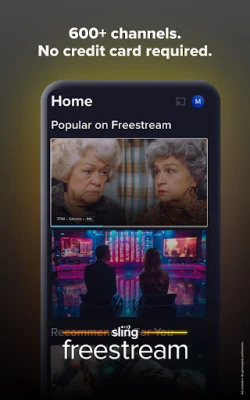
Sling TV is a streaming app for watching live TV channels and on-demand entertainment over an internet connection. Its programming includes sports, news, popular shows, movies, lifestyle content, kids’ shows and international channels. Viewers can choose from available subscription packages, and Sling Freestream provides a selection of free live and on-demand content without requiring a credit card. Availability, pricing and channel lineups may vary by location and can change.
An APK is the Android application package format used to distribute and install apps. Installing an APK manually can be useful when an app is not available through your usual app store, but unofficial files may be outdated, altered or unsafe. Use the official store whenever possible.
Pros
Cons
User feedback for live-TV streaming apps commonly reflects a mix of convenience and service-related concerns. Sling TV’s appeal is its combination of live channels, flexible package choices, free programming and DVR features. Viewers may also value having sports, news and entertainment together in one app.
Common concerns for streaming services include buffering or playback interruptions, changes to channel lineups, differences in package pricing and occasional device compatibility issues. Experiences can vary based on internet speed, location, subscription plan and the specific device being used. Check recent Google Play reviews for current feedback about your device and app version.
Sling TV is worth considering if you want a flexible way to stream live channels alongside on-demand shows and movies, especially if its available packages match your interests. Its free Sling Freestream option gives you a way to explore some content without subscribing, while DVR storage adds convenience for eligible programming.
The main consideration is that Sling is not a single all-inclusive package: costs, channels and content access depend on your plan, location and any extra purchases. Compare the current lineup with the channels you actually watch before subscribing. For viewers seeking customizable live TV, Sling TV can be a practical alternative to cable, provided the available package fits their budget and viewing habits.
Download Sling TV from Google Play or another trusted, authorized source. If you install an APK manually, Android may ask you to allow installation from that source in your device settings. Enable this permission only when necessary, and turn it off afterward if you do not need it.
Unofficial APK files can be modified, outdated or bundled with malware, and may put your device or personal information at risk. Check that the app and publisher are legitimate before installing, and avoid providing account or payment details in suspicious versions. Sling TV also states that it uses Android’s AccessibilityService API on Android TV and Google TV for directional-key navigation; its disclosure says this is not used to collect, store or share personal or sensitive user data. The app also notes that Nielsen measurement software may be included, with participation and privacy details governed by the app’s disclosures.
Q1: Is Sling TV APK free to use?
A1: Sling Freestream offers selected free live and on-demand content. Most subscription channels and programming require a paid plan, and certain titles or events may cost extra.
Q2: Do I need an internet connection to watch Sling TV?
A2: Yes. Sling TV streams content over the internet, so a stable connection is needed for live and on-demand viewing.
Q3: Is it safe to download the Sling TV APK?
A3: The safest option is to install Sling TV from Google Play or another authorized source. Unofficial APKs may be altered or contain malware, so verify the publisher and file before installing.
Q4: Does Sling TV include DVR storage?
A4: Sling advertises 50 hours of DVR storage at no extra cost. An unlimited-storage upgrade may be available, subject to current terms.
Q5: Can I watch Sling TV outside the United States?
A5: Sling’s availability and content rights are location-dependent. Check the service’s current availability for your country before subscribing or attempting to stream.
Sling TV APK
📱 Sling TV APK Summary
Sling TV is a live-TV and on-demand streaming service with customizable channel packages, sports, news, entertainment and international programming. It also includes free Sling Freestream content and 50 hours of DVR storage, while paid features and channel availability depend on your plan and location.
- App Name: Sling TV
- Current Version: Varies by device; check Google Play for the latest release
- Last Updated: Not verified in real time
- Category: Entertainment
- Developer: Sling TV, LLC
- Google Play Rating: Rating and review count change over time; check the current Google Play listing
💡 Introduction
Want live television without committing to a traditional cable contract? Sling TV brings a mix of live channels and on-demand viewing to compatible devices, with plans that can be customized to suit different interests. Whether you’re following a game, catching up on the news or looking for a movie, Sling offers several ways to watch in one app.
❓ What Is Sling TV APK?
Sling TV is a streaming app for watching live TV channels and on-demand entertainment over an internet connection. Its programming includes sports, news, popular shows, movies, lifestyle content, kids’ shows and international channels. Viewers can choose from available subscription packages, and Sling Freestream provides a selection of free live and on-demand content without requiring a credit card. Availability, pricing and channel lineups may vary by location and can change.
An APK is the Android application package format used to distribute and install apps. Installing an APK manually can be useful when an app is not available through your usual app store, but unofficial files may be outdated, altered or unsafe. Use the official store whenever possible.
🧑💻 How to Use
- Install the app: Get Sling TV from Google Play or another trusted, authorized source that supports your device.
- Open Sling TV: Launch the app and review the available options for your device and region.
- Choose how to watch: Browse Sling Freestream for free content, or sign in and select an eligible paid package for subscription programming.
- Find something to watch: Explore live channels, sports, news, movies and on-demand shows. Use the search and category menus to narrow your choices.
- Set up your viewing: On compatible devices, select a program and start streaming. Available options may differ between phones, tablets and TV devices.
- Record shows: Use the included DVR allowance to record eligible programs, or check your account for any available DVR upgrade options.
- Manage your account: Review your plan and settings through the account options. Subscription changes and cancellation terms are subject to Sling’s current policies.
⚙️ Features
- Customizable channel packages: Choose from available plans and add-ons to better match your viewing interests. Channel selection depends on the package and your location.
- Live sports: Watch selected coverage across sports such as basketball, football, baseball, hockey, soccer, golf, motorsports and combat sports, subject to channel rights and plan availability.
- News and entertainment: Stream live news and popular entertainment programming alongside on-demand selections.
- On-demand library: Browse a large catalog of shows and movies. Some titles may be included with a plan, while others may require a separate rental or purchase.
- Cloud DVR: The service advertises 50 hours of DVR storage at no extra cost, with an optional unlimited-storage upgrade where available.
- Sling Freestream: Watch a selection of free live channels and on-demand programs without a paid subscription or credit card.
- International programming: Sling offers packages and programs in multiple languages, including Spanish, Hindi and Arabic. Exact options vary by package.
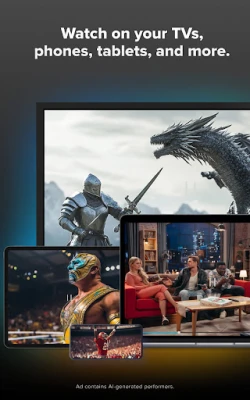
- Compatible-device streaming: Use Sling TV on supported mobile devices and televisions. Feature availability can differ by device and app version.
✅ Pros and ❌ Cons
Pros
- Offers live TV and on-demand content in one service.
- Provides customizable packages rather than a single fixed channel lineup.
- Includes free Sling Freestream programming.
- Advertises 50 hours of DVR storage with the service.
- Features sports, news, entertainment and international programming.
- No long-term contract is advertised, and subscribers can manage their service according to current plan terms.
Cons
- A paid subscription is needed for many channels and programs.
- Channel availability and pricing can vary by location, plan and current offers.
- Some movies, events or add-ons may cost extra.
- Streaming quality depends on your internet connection and device.
- Live broadcasts may include advertisements, and DVR recording availability can vary by content.
📋 App Details
- App Name: Sling TV
- Current Version: Varies by device; consult Google Play for the current version
- Last Updated: Not verified in real time; check the store listing
- File Size: Varies by version and device; check the installer or app-store listing before downloading
- Requires Android: Minimum requirement varies by release and device; confirm compatibility on Google Play
- Developer: Sling TV, LLC
- Category: Entertainment
- Content Rating: Check the current store listing, as ratings can vary by region and listing
💬 User Reviews
User feedback for live-TV streaming apps commonly reflects a mix of convenience and service-related concerns. Sling TV’s appeal is its combination of live channels, flexible package choices, free programming and DVR features. Viewers may also value having sports, news and entertainment together in one app.
Common concerns for streaming services include buffering or playback interruptions, changes to channel lineups, differences in package pricing and occasional device compatibility issues. Experiences can vary based on internet speed, location, subscription plan and the specific device being used. Check recent Google Play reviews for current feedback about your device and app version.
🔍 5 Best Alternative Apps
- YouTube TV: A live-TV streaming service with channel packages and cloud DVR features. It may suit viewers seeking a broad live-channel lineup, though availability and pricing differ from Sling.
- Hulu: Combines an on-demand library with an optional live-TV plan. It is a useful alternative for viewers who want entertainment programming alongside live channels.
- fubo: A streaming service with a strong focus on live sports, as well as news and entertainment channels. Its channel lineup and features depend on the selected plan and region.
- Philo: A live-TV option focused mainly on entertainment and lifestyle programming. It may suit viewers who do not need a sports-heavy channel lineup.
- Pluto TV: A free, ad-supported service with live channels and on-demand titles. It is a straightforward alternative for viewers looking for no-cost streaming, though its programming differs from paid services.
🧠 My Opinion
Sling TV is worth considering if you want a flexible way to stream live channels alongside on-demand shows and movies, especially if its available packages match your interests. Its free Sling Freestream option gives you a way to explore some content without subscribing, while DVR storage adds convenience for eligible programming.
The main consideration is that Sling is not a single all-inclusive package: costs, channels and content access depend on your plan, location and any extra purchases. Compare the current lineup with the channels you actually watch before subscribing. For viewers seeking customizable live TV, Sling TV can be a practical alternative to cable, provided the available package fits their budget and viewing habits.
🛡️ Privacy and Security
Download Sling TV from Google Play or another trusted, authorized source. If you install an APK manually, Android may ask you to allow installation from that source in your device settings. Enable this permission only when necessary, and turn it off afterward if you do not need it.
Unofficial APK files can be modified, outdated or bundled with malware, and may put your device or personal information at risk. Check that the app and publisher are legitimate before installing, and avoid providing account or payment details in suspicious versions. Sling TV also states that it uses Android’s AccessibilityService API on Android TV and Google TV for directional-key navigation; its disclosure says this is not used to collect, store or share personal or sensitive user data. The app also notes that Nielsen measurement software may be included, with participation and privacy details governed by the app’s disclosures.
❓ Frequently Asked Questions (FAQs)
Q1: Is Sling TV APK free to use?
A1: Sling Freestream offers selected free live and on-demand content. Most subscription channels and programming require a paid plan, and certain titles or events may cost extra.
Q2: Do I need an internet connection to watch Sling TV?
A2: Yes. Sling TV streams content over the internet, so a stable connection is needed for live and on-demand viewing.
Q3: Is it safe to download the Sling TV APK?
A3: The safest option is to install Sling TV from Google Play or another authorized source. Unofficial APKs may be altered or contain malware, so verify the publisher and file before installing.
Q4: Does Sling TV include DVR storage?
A4: Sling advertises 50 hours of DVR storage at no extra cost. An unlimited-storage upgrade may be available, subject to current terms.
Q5: Can I watch Sling TV outside the United States?
A5: Sling’s availability and content rights are location-dependent. Check the service’s current availability for your country before subscribing or attempting to stream.
Rate the App
Add Comment & Review
User Reviews
Based on 0 reviews
No reviews added yet.
Comments will not be approved to be posted if they are SPAM, abusive, off-topic, use profanity, contain a personal attack, or promote hate of any kind.












More »

Popular Apps

TradingView: Track All MarketsTradingView Inc.

Bus Fever Party!Lumi Games

Claude by AnthropicAnthropic PBC

Block Craft 3D:Building GameWildlife Studios

Malwarebytes - Mobile SecurityMalwarebytes

Block Blast!HungryStudio

Canva: AI Photo & Video EditorCanva

Candy Crush SagaKing

Carrom Pool: Disc GameMiniclip.com

EA SPORTS FC Soccer Mobile 27ELECTRONIC ARTS
More »
Editor's Choice

Kahoot! Play & Create QuizzesKahoot!

United AirlinesUnited Airlines

Tripwoa: Travel Plan & Trailtripwoa

trivago: Compare hotel pricestrivago N.V.

Planner 5D: AI Home DesignPlanner 5D

ibis Paint Xibis inc.

Agoda: Cheap Flights & Hotelsagoda.com

Hopper: Hotels, Flights & CarsHopper Inc.

Brilliant: Learn Math & CodingBrilliant.org

Google ClassroomGoogle LLC